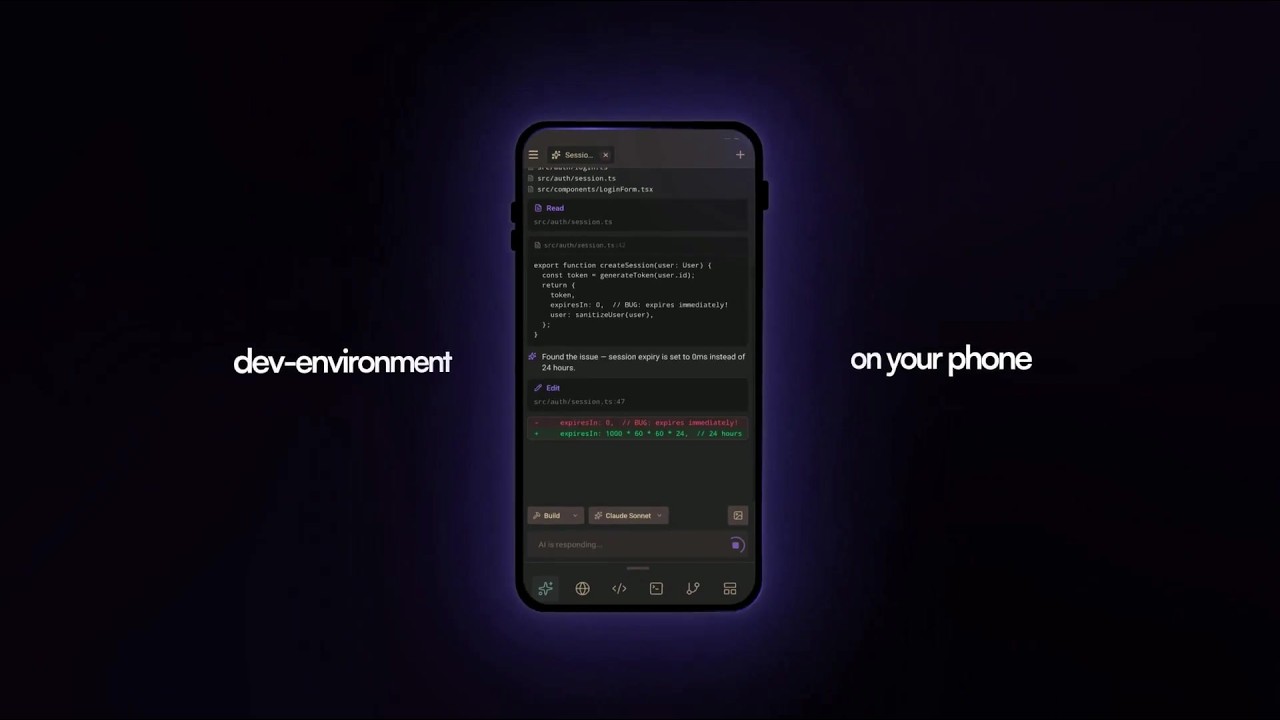
FREE WORKSPACE CONTROLS
Pair your laptop.
Scan the CLI’s QR code and open the project you’re already working on. No migration to a new editor or cloud workspace.
See the setup ↗AGENTIC PAYMENTS · SOLANA × x402
Your laptop’s files, terminal, Git, previews, and coding agents, on your phone.Give Codex or Claude Code a USDC budget to discover and buy model calls through x402 on Solana. Your workspace stays free.
WORK FROM WHERE YOU ARE
Your laptop keeps doing the work. You don’t have to sit next to it.
Scan the CLI’s QR code and open the project you’re already working on. No migration to a new editor or cloud workspace.
See the setup ↗Choose allowed models and a spending cap. Your foreground phone authorizes calls within those limits; your wallet key stays with you.
See model pricing ↗FROM DESK TO POCKET
Open a terminal inside your project and run:
npx helixbox-cli@latestOpen HelixBox on Android and scan the QR shown by the CLI. Your phone connects to that laptop workspace.
Browse files, check logs, or use your installed coding agents for free. Optional model calls use a separate approved budget.
Keep your laptop running and sign in to your coding agents there. Model tools require the published CLI 0.2.0 or newer. Use npx helixbox-cli@latest to upgrade, then pair again with the updated Android beta.
THE TOOLS YOU ALREADY USE
A mobile workspace connected to your real development environment.
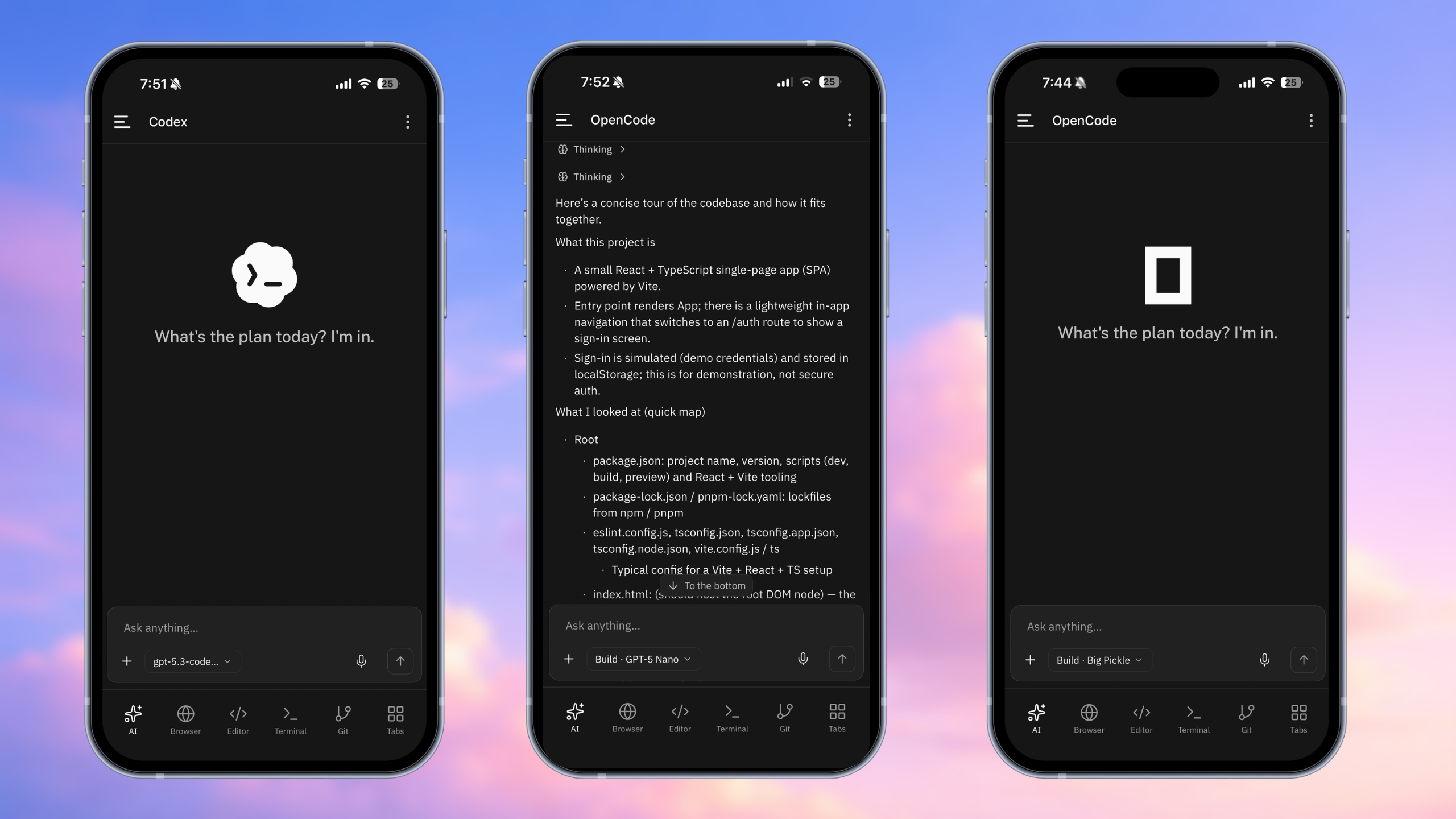
 Codex
 OpenCode
 Claude Code
 Hermes
Bring your installed CLIs and their subscriptions. Codex and Claude Code can also discover and buy optional model calls through HelixBox tools.
01 / AGENTS
Ask Codex to build a feature, buy an independent model review within your limits, then fix the findings. Follow the code, tests, and result from your phone, including voice input.
02 / BROWSER
Start your development server on the laptop and open its preview on your phone. Check the result without leaving the workspace.
Your local preview, wherever you are.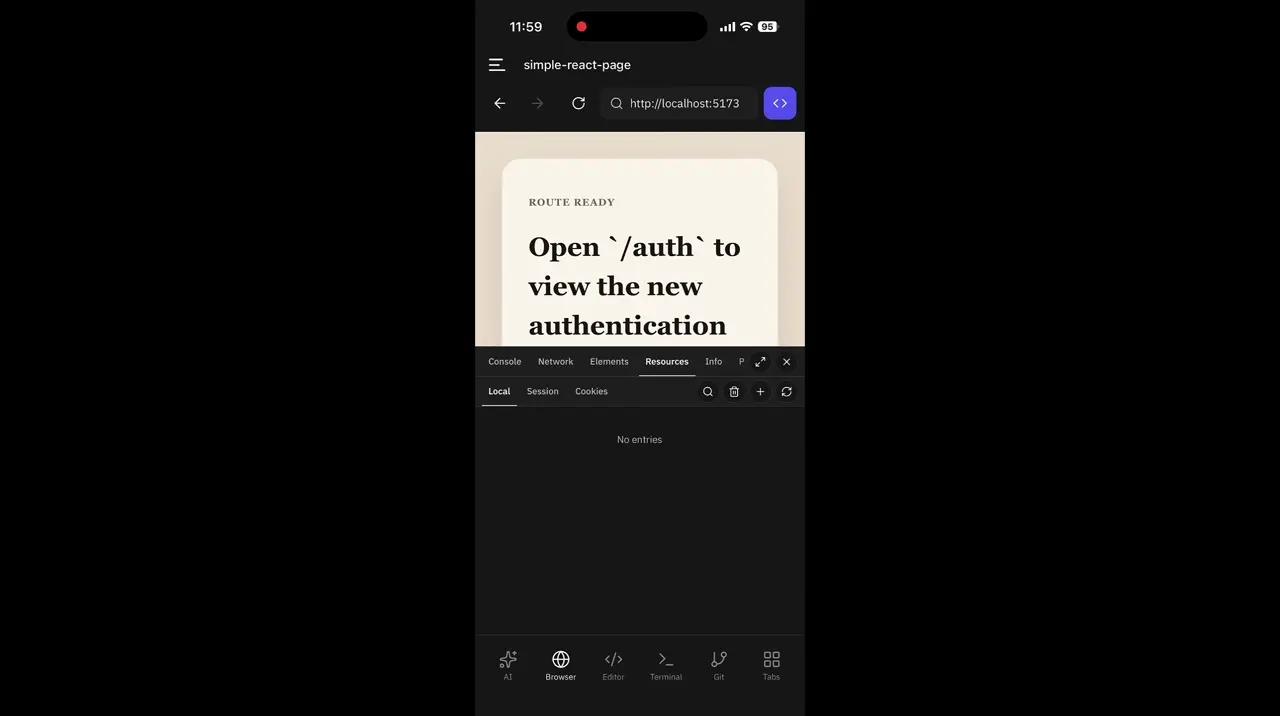
03 / EDITOR
Open the file explorer, find the file, and make the change. Your edits stay in the project you already have on your laptop.
Same files. Same project.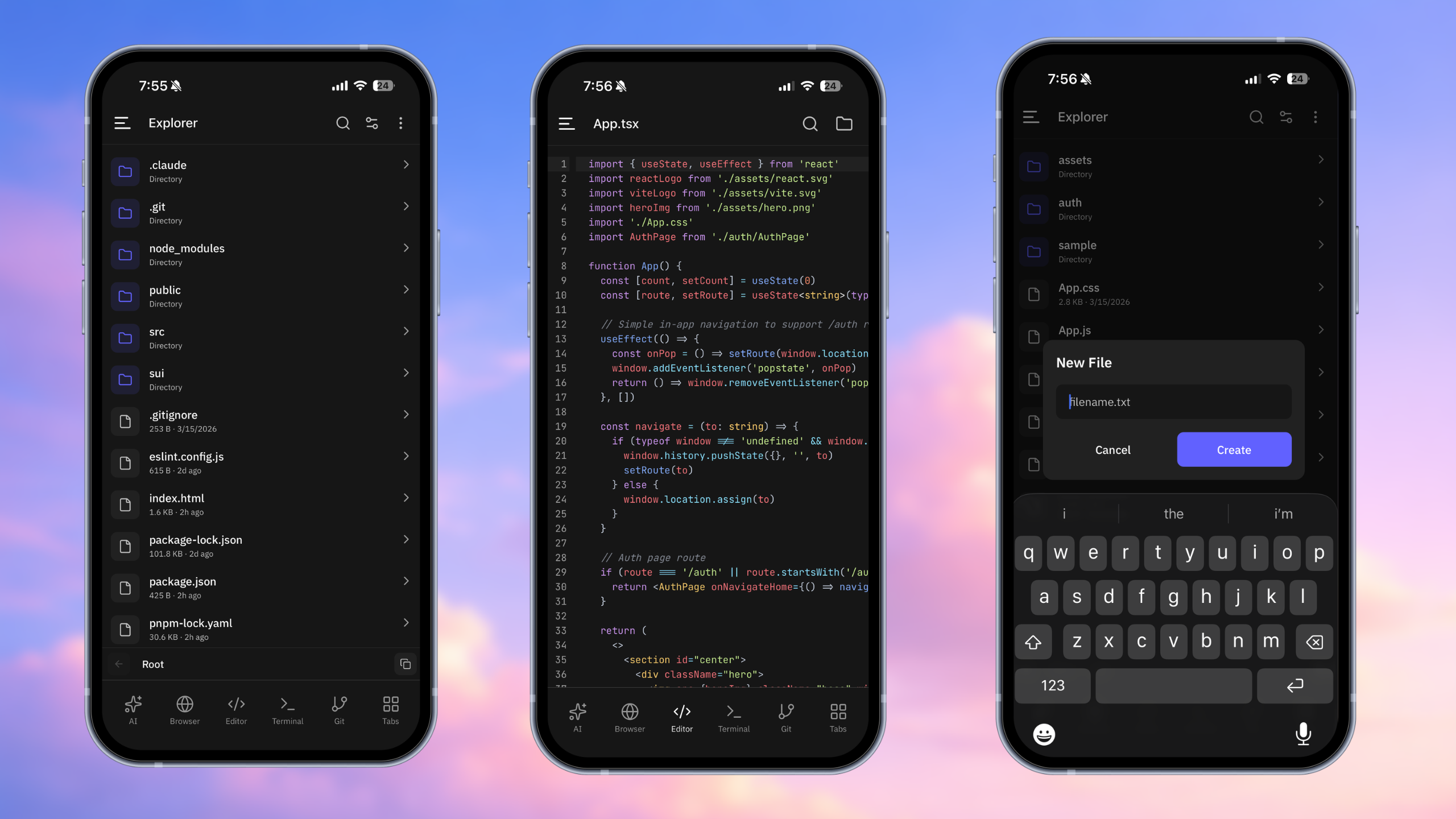
04 / TERMINAL
Run commands, follow logs, install dependencies, and check a build. The commands execute in your paired laptop’s environment.
Your dependencies and tools stay on your machine.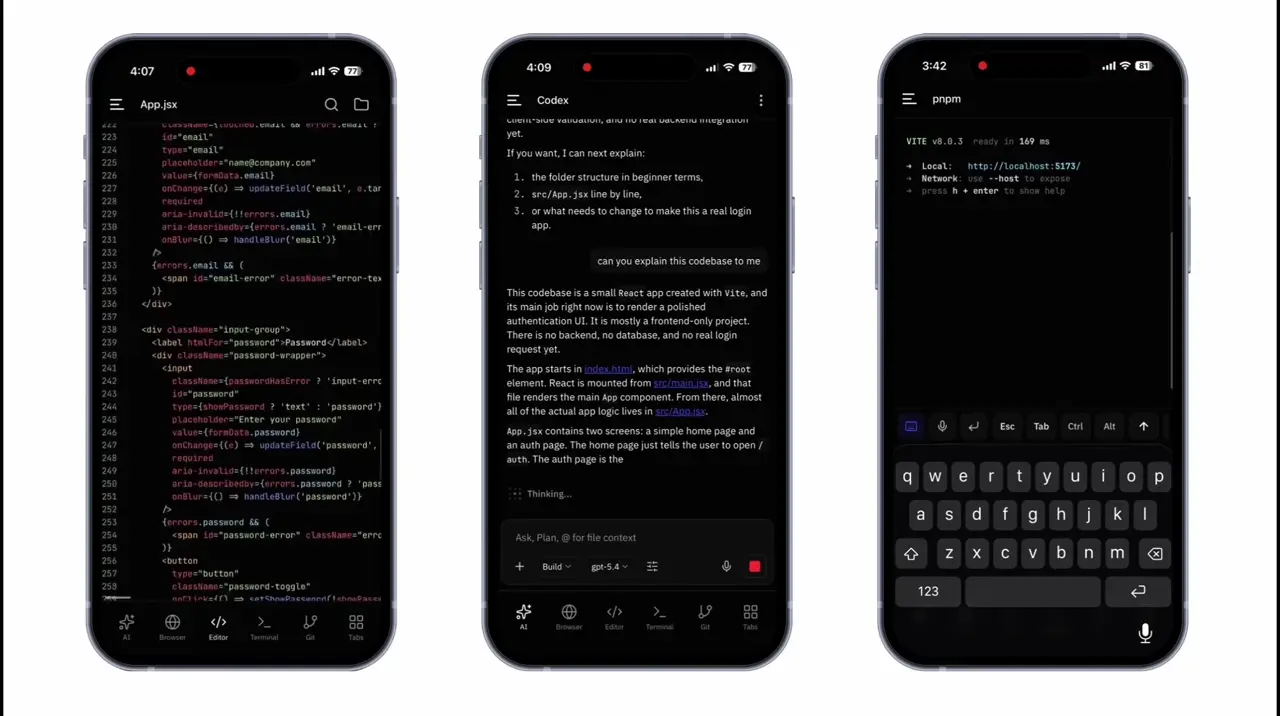
05 / GIT
See changed files, review the diff, stage your work, and commit or push from your phone. Stay in control of what goes into the repository.
Review before you commit.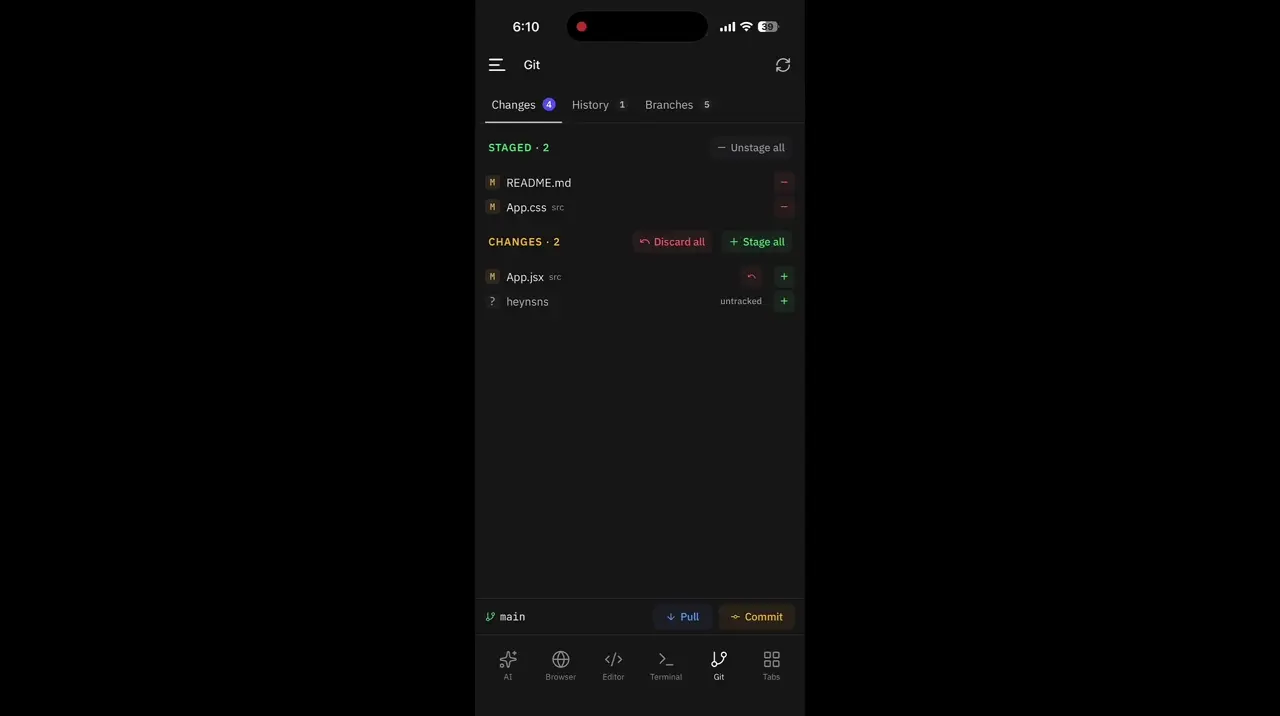
THE LITTLE THINGS, TOO
Browse, create, rename, and organise the files in your project.
See what’s running on your laptop and manage its processes.
Send HTTP requests and inspect responses from your mobile workspace.
Find open ports and the processes using them.
Encode, decode, format, and inspect text without leaving the app.
Check CPU, memory, and disk usage while your project is running.
AGENTIC PAYMENTS ON SOLANA
Your coding agent can discover models, compare quotes and buy inference through x402. Set a spending limit and fund a USDC payment channel once. Your phone authorizes calls within those limits, without a wallet approval for every request.
Live model names and example prices load here. Final quotes are verified in the app.
THE WORKSPACE
Pair and keep working.
OPTIONAL MODEL TOOLS
A fixed quote for each bounded request.
AGENT SPENDING MANDATES
Approve limits before agents spend.
Bounded quotes include a 20% service margin, with a 0.001 USDC minimum and 1 USDC maximum per call. Your coding agents' own subscriptions remain separate. Mainnet batch settlement is experimental; verify the beta with a small budget before relying on it.
YOUR CODE STAYS WITH YOU
HelixBox gives your phone access to that workspace. It doesn’t move your files into a separate cloud development environment. Prompts sent to model tools are processed by those external models.
BEFORE YOU START

Yes. HelixBox connects to the workspace running on your laptop. Keep the laptop awake, the CLI running, and the internet connection available.
Pairing, workspace controls and access to coding agents already installed on your laptop are free. Their provider subscriptions remain separate. Only optional model calls through HelixBox are paid.
Codex, OpenCode, Claude Code, and Hermes are supported. Install and authenticate their CLIs on the paired laptop. Availability in the app comes from that laptop’s reported CLI status.
One bounded chat, image or speech request to the quoted model. Availability and price are checked before purchase; a catalog listing alone does not guarantee a payable call. A failed generation is not charged. The complete result is released after the x402 payment is accepted. This does not buy unlimited coding-agent usage.
Approve your limits and fund a bounded USDC payment channel in MetaMask. Your coding agent requests a quoted model call; a separate key in your phone's secure storage signs a cumulative spending voucher only within your model allowlist, per-call cap, total cap, call limit and expiry. No wallet approval is needed for each subsequent authorized call. The phone must remain foregrounded for new calls.
No. On a funded channel, x402 calls use signed vouchers off-chain. The merchant redeems cumulative usage and receives USDC in batches on Solana, rather than sending a transaction for every request. A channel can have multiple settlements over its lifetime. A completed model call is not the same as a completed on-chain payout. Stop blocks new purchases; returning unused funds requires the channel-close and refund flow.
Use the saved connection or Past Sessions when the laptop session is still valid. If the laptop session has ended, run the CLI and use the explicit new-session flow to pair again.
This version targets Android. Use this Solana repository’s Releases page for APK downloads and its build instructions to build from source. An iOS release is not available yet.

TAKE YOUR WORKSPACE WITH YOU
Download the Android app. Run the CLI. Scan the QR.
npx helixbox-cli@latest Download Android ↗